


SCRL: Photo Collage Maker
4.7985.00 Reviews
App Specs
- Version
- 1.23.1
- Updated On
- License
- Free
- Downloads
- 10,000,000+
- Developer
- Appostrophe AB
- Categories
- Photography
- Platform
- Android, iOS
Screenshots
 Analysis by AppCompare
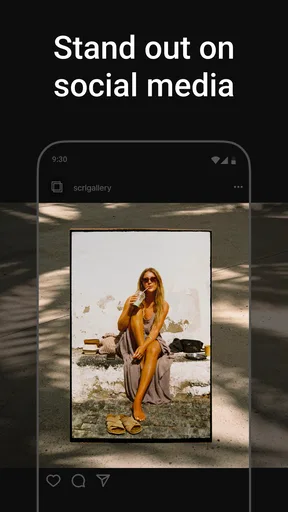
When I’m choosing a photo app, I first ask what I want to make and where I plan to share it. A quick grid of vacation pictures is one job; a connected sequence that feels like a single visual story is another. Photo Collage Maker: SCRL is aimed at that second kind of project, especially Instagram posts where several images need to work together rather than sit in a plain collage. I’d consider it when the layout itself matters as much as the individual photos.
Choose it for a story, not just a grid
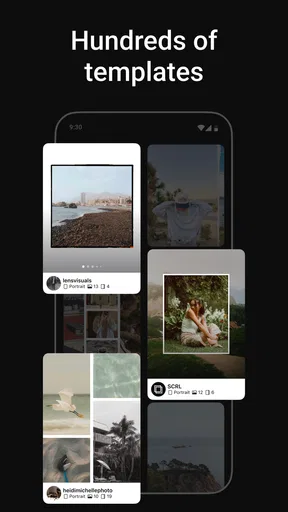
The useful decision is whether you want a ready-made arrangement or room to shape how the viewer moves through your images. SCRL offers templates, adjustable spacing and border styles, and text options, so it gives you more say over the rhythm of a post than a basic photo-grid tool usually does. That flexibility is most valuable when pictures have different shapes or when you want one image to lead naturally into the next.
A practical way to use it is to choose the photographs before settling on a layout. For example, after a weekend trip I might pick one establishing shot, a few small details, and a closing image, then arrange them so the sequence has a beginning and an end. That is a more deliberate workflow than dropping every picture into a collage and hoping the result feels coherent. If you only need to place several snapshots in equal squares, a simpler grid maker may take less thought.
Where the creative control pays off
In my experience, spacing is not a decorative afterthought. A narrow gap can make separate photos feel like one continuous composition, while a clear border can keep busy images from running into each other. I’d test the layout with the actual photos rather than choosing a template based on its preview alone: a design that looks balanced with sample images can feel crowded when your pictures have lots of detail or contrasting colors.
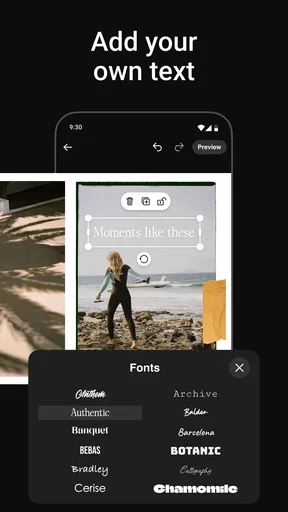
Text also works best when it has a job. A short location, date, or phrase can give a sequence context, but a long caption placed inside the design may compete with the photographs. I’d add wording near the end of the process, after the images are in place, so the text supports the composition instead of forcing every photo into a layout that no longer fits.
For a small business, club, or personal project, the same approach can make a set of product details, event moments, or progress photos feel more intentional. The trade-off is that a designed post takes longer than a single-image upload. SCRL makes sense when that extra care is part of the point, not when you’re trying to publish something in a hurry.
When another kind of photo app is a better fit
Compared with ordinary collage makers, SCRL’s appeal is its emphasis on layouts and sequences for social posts. A basic collage app is often the better choice if you want a fast tiled image with minimal decisions. A general photo editor may be preferable if your main goal is correcting color, removing distractions, or retouching one picture; SCRL’s focus is how images sit together, rather than replacing a dedicated editing workflow.
Worth Reading Before You Choose

Baby Panda World Brings Quick Play to Modern Phones, but Its Game Library Feels Busy

ESPN’s Live Game View Makes Following Close Games Easier

QuizzLand Review: A Good Fit for Short Trivia Breaks, Not Every Player

Basketball Stars: Multiplayer Is Fast, but Can It Recover When Matches Go Wrong?

WEBTOON Turns Phone Updates Into a Better Reading Routine

Link to Windows Runs on Shared Habits, Not Social Feeds
It also isn’t the right choice for every social post. If you prefer a single strong photograph, a multi-image layout can dilute its impact. And if you rarely make carousels or scroll-style compositions, you may not use the creative controls enough to justify learning another tool. I’d treat SCRL as a specialist for visual sequences, not as the one app that must handle every photo task.
A realistic workflow before you share
Imagine coming home from a day out with a full camera roll and wanting to share a few highlights. I’d first narrow the selection to images that contribute something distinct: a wide scene, a close-up, and a candid moment, for instance. Then I’d try a template, adjust the spacing, and check whether the order tells a story when viewed from the first image onward. This avoids the common mistake of using every decent picture just because it is available.
Before exporting, I’d look for awkward crops, especially around faces, signs, or other details that matter. I’d also check that text remains readable against the selected images and that the design still makes sense when viewed as individual panels. A layout can look polished as one continuous composition but feel confusing if the viewer encounters its pieces one at a time. Thinking about both views is a useful habit for any carousel workflow.
SCRL lets you export collages as videos as well, which can suit a more animated story. I’d choose that route only when movement adds something to the sequence; a video format is not automatically an improvement over still images. For a calm set of portraits or a product series where viewers need time to inspect details, a static layout may communicate more clearly.
What to expect from access and cost
The app is free to download, and its listed in-app purchases range from $4.99 to $49.99 per item. I’d start with the free experience and work through a real project before paying for anything. That gives you a chance to see whether the templates and controls match your habits instead of buying based on the promise of making more polished posts. The app is rated for Everyone, and Appostrophe AB is its developer.
There is a meaningful difference between trying a few layouts and building a repeatable style. If you make occasional personal posts, the free starting point may be all you need. If you create sequences regularly, it may be worth assessing which paid options, if any, actually remove a limitation you have encountered. The purchase range is broad enough that I would check the price of a specific item in the app before committing, rather than assuming every option costs the same.
Switching from another workflow
If your current method is a standard collage app, the main adjustment is planning the sequence instead of treating all photos as equal tiles. Bring a smaller, more purposeful selection, and be willing to change the order after seeing how the images sit together. If you already edit photos elsewhere, keep doing that work there when needed; SCRL is most useful as the composition and storytelling step, not necessarily as a replacement for every tool in your routine.
That division of labor can also prevent wasted effort. I’d finish basic image adjustments first, then use SCRL to arrange the finished pictures and add any design text. If you keep changing the photos after building the layout, you may need to revisit crops and spacing. A little selection up front usually makes the final design easier to refine.
Getting Started with SCRL
First things first, downloading Photo Collage Maker: SCRL was a breeze. Available on both Android and iOS, it’s super easy to find and install. Once you're in, the app greets you with a clean, intuitive interface. I appreciated how user-friendly it is, especially for someone who isn’t a tech whiz.
The Creative Process
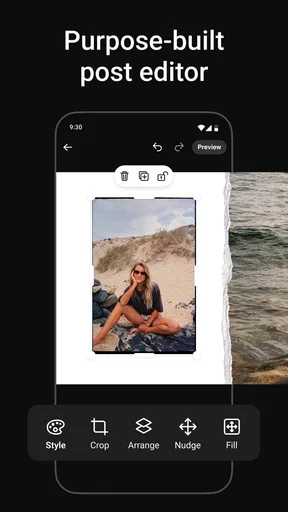
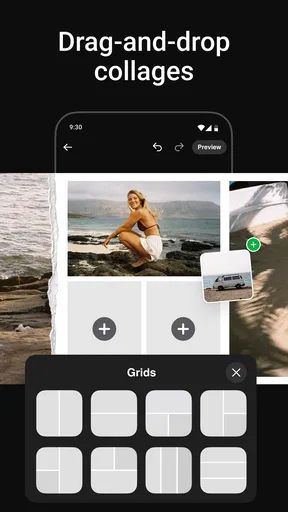
Diving into the creation mode, I was immediately impressed by the plethora of templates available. Whether you’re looking to create a simple collage or an elaborate story sequence, there’s something for everyone. I tried out a few different layouts, and it was as easy as dragging and dropping my photos where I wanted them.
One feature I particularly loved was the ability to adjust the template’s spacing and border styles. It gives you that extra layer of customization which makes your collages stand out. Plus, the app offers a variety of text options to add personalized messages to your creations.
Share Your Story
Once you've crafted the perfect collage, sharing it is a piece of cake. The app connects seamlessly to social media platforms like Instagram and Facebook. I found the direct sharing feature incredibly handy for posting my creations without jumping through hoops.
Oh, and if you’re someone who enjoys a good animated story, SCRL has got you covered. The app lets you export your collages as videos, adding a dynamic touch to your posts. I tried this with a travel story, and the results were pretty impressive!
Why You’ll Love It
In a world where visual storytelling is king, having a tool like SCRL in your pocket is invaluable. It’s not just about creating collages; it's about weaving your memories into a narrative. The ease of use combined with its powerful features makes it a must-have for anyone keen on sprucing up their social media game.
Overall, whether you're a seasoned Instagrammer or just someone who loves a good photo project, Photo Collage Maker: SCRL is definitely worth checking out. Give it a try and let your creativity flow!
My recommendation
SCRL has a strong case if you regularly turn several photos into one considered social post. It has a 4.5 average from around 251,000 ratings, and it has been installed over 10 million times, which suggests it has found a sizable audience for that particular creative task. Its current version is 1.13.1, and it requires Android 7.0 or later. Those details are useful when checking whether it fits your device, but the more important question is whether you enjoy making image sequences rather than simply posting pictures as they are.
I’d recommend trying it if you like choosing a visual order, adjusting the way photos connect, and occasionally turning a set of memories into a more designed post. I’d skip it if you want automatic enhancement, detailed retouching, or the quickest possible way to share a single image. For me, its value is in making a collection feel composed; when that is what you want, it is worth exploring, and when it isn’t, a simpler editor or collage tool is likely the more comfortable choice.
Pros
- Intuitive interface makes editing easy.
- Wide range of templates and layouts.
- High-resolution export options.
- Seamless integration with social media.
- Regular updates with new features.
Cons
- Limited free version features.
- Occasional in-app purchase prompts.
- Some templates require premium.
- May consume significant storage.
- Lacks advanced editing tools.
FAQs for SCRL: Photo Collage Maker
What features does Photo Collage Maker: SCRL offer?
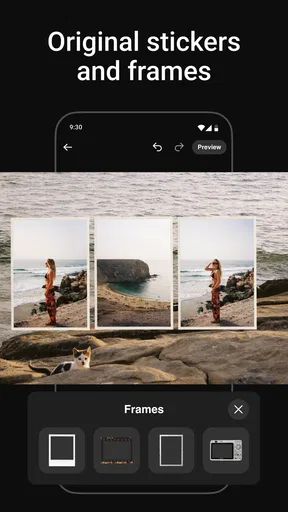
Photo Collage Maker: SCRL provides a variety of features to enhance your collage-making experience. It offers an intuitive drag-and-drop interface, customizable templates, and a wide range of editing tools. Users can also access a diverse library of stickers, backgrounds, and text options to personalize their creations. The app is designed to be user-friendly, catering to both beginners and experienced designers.
Is Photo Collage Maker: SCRL free to use?
Yes, Photo Collage Maker: SCRL is free to download and use, offering basic features at no cost. However, there are in-app purchases and subscription options available for users who wish to access premium features and additional content. These include advanced editing tools, exclusive templates, and an ad-free experience.
Can I share my creations directly from the app?
Absolutely, Photo Collage Maker: SCRL makes sharing your creations easy and convenient. Once you’ve completed your collage, you can directly share it to popular social media platforms like Instagram, Facebook, and Twitter. The app also allows you to save your work to your device’s gallery in high resolution, ensuring your images remain crisp and clear.
Does the app require an internet connection to function?
While Photo Collage Maker: SCRL can be used offline for creating and editing collages, an internet connection is required to access certain features. These include downloading additional templates, stickers, and backgrounds. An active connection is also necessary for sharing your creations online and for syncing your data across multiple devices.
Is Photo Collage Maker: SCRL suitable for beginners?
Yes, Photo Collage Maker: SCRL is designed with beginners in mind. The app features an intuitive user interface that makes it easy for new users to navigate and create stunning collages. Step-by-step tutorials and tips are available within the app to help users get started and make the most out of the available features.


